
Back in 2019, the very first time I had to use multiple versions of Node on my Windows, I realised how tedious it must have been all along, to manually install and manage paths for different Node installations according to the project one was working on. nvm for Windows was still at a nascent stage, but it worked. The only problem was that each nvm use 2x.xx.xx would change the version globally and if you were working on multiple projects simultaneously, it was cumbersome.
On a Mac, nvm still presented similar “features”, but there were workarounds. But it got to a point where any improvements were just patchworks and not really solutions.
nvm has been around for years. And it is also one of the official ways to install node if you are installing from the curl CLI tool.
So, why search for another tool?
Turns out, I didn’t know I needed a better one until I started experiencing a serious bug; well, more of an irritation that ended up in me going down the rabbit hole to resolve.
What nvm did
Maybe I did not notice it from the beginning. Or, the issue may have cropped up somewhere along where I wouldn’t have registered it immediately.
But I started noticing that my terminal was getting slower and slower every time I loaded a new window. Whether it was freshly opened after booting up, or it was a new shell instance or a new window or a new tab - the issue was constant.
Each time, the load time of iTerm (or the default Terminal app for that matter) kept getting slower and slower. It certainly seemed like it because I kept observing it specifically, after noticing it the first few times.
For example, take a look at this benchmark -
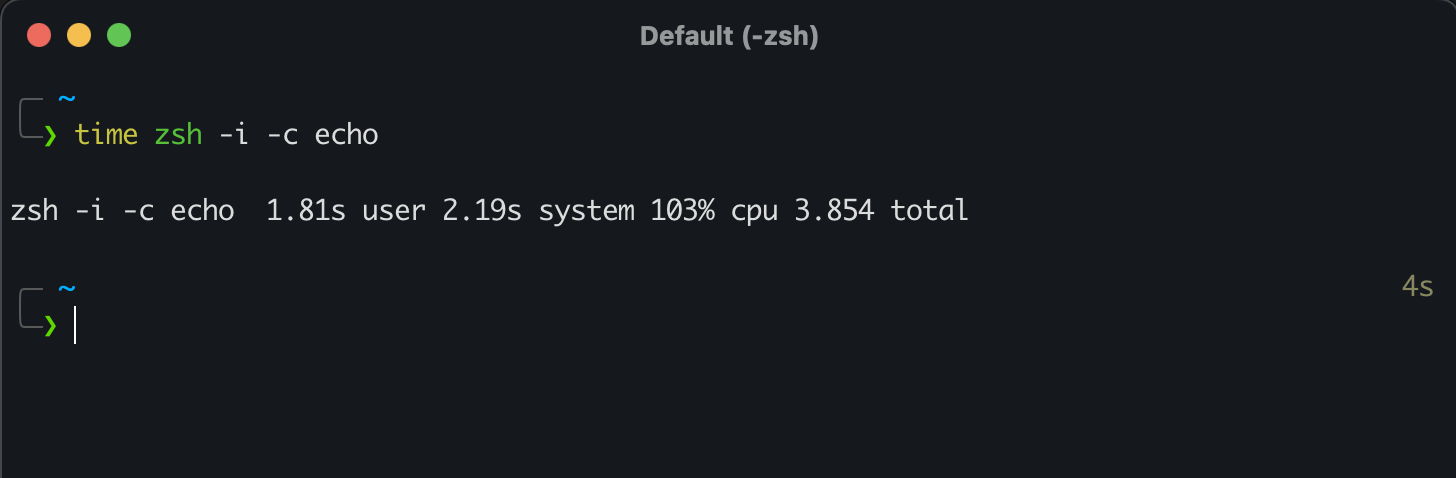
1.81 seconds for the zsh shell to load a terminal prompt was just too much. I was sure something was hogging resources somewhere. My first obvious step was to Google if anyone else was having similar issues.
While many of them debated on StackOverflow about iTerm itself being slow or not, instinct told me that it was something configuration related that had begun slowing it down.
And find it I did - and the issue was very unexpected.
nvm configuration was slowing down the zsh shell on each startup because the config scripts provided in the official documentation seemed fine for bash, but really messed up zsh.
|
|
This script works fine when you are logged in and nvm loads automatically for the first time. But on each subsequent quitting and restarting of the iTerm app, nvm had to be specified to use node installations and this was the first thing to massively irk me.
I did find a workaround where nvm would load automatically on each instance of the terminal tab or window but this only made the load times worse than before. A random lazyload plugin for zsh seemed like it helped but only for a fraction of a second (if that).
That’s when it hit me that it was not just a misconfigured script that made nvm slow. It was nvm itself that made the terminal sluggish.
And, as it so happens, I found multiple instances of users complaining on forums, even including on the offical nvm GitHub repo, but all the “solutions” were just workarounds and temporary, distasteful patches on a serious flaw that seems to not bother the maintainers till date.
This issue
, for example, very much highlights how much of a workaround needs to be done to just achieve fractional but negligible increases in speeding up nvm. As one of the comments on it says, it is mere “plumbing” work to hide a very bad system design flaw in how nvm has been written.
This blog
also points to a workaround stitched in place, all because of nvm slowing down zsh.
And then, this was the kicker - complaints about nvm slowing down both bash and zsh have been present dating as far back as 2016! I mean.. 🤨🤨😤
It was clear - nvm has remained a culprit, leading to slow zsh start times all over everywhere.
Why exactly was nvm slowing down the terminal?
This is very interesting. It really highlights why bad design can pull its weight down the line. But, in fairness to nvm, it has been a generally well-known matter that all version/environment managers like rbenv and pyenv are inherently slow.
As to why nvm is slow - it is simply because nvm is really slow to initialize.
The way it integrates with the zsh’s initialization process using its setup script, is very slow. Its path modifications for different node versions, while difficult in itself to achieve (credits to the creators of nvm and other such tools for helping ease it for everyone), still fails to give that seamless flow developers often look for.
I had had enough by this point.
Alternatives to nvm kept popping up here and there - like asdf
and mise
but they were overkill for a simple version manager; I was too used to nvm’s ease of use by this point to change it entirely, or I never really found enough time (in other words, too lazy) to completely cleanup everything node and nvm related to do clean install.
But enter fnm
- my salvation.
The first time I read a blog on it, I was intrigued. But my mind kept looking for signs of faults or bugs in fnm that would justify my laziness to give up nvm. But the more I kept seeing instances of fnm getting increased adoption, the more I was tempted to give it a shot.
But I realized, too late, that the NodeJS documentation had also included fnm officially as a version manager alongside nvm and that was the final push I needed.
I purged all my node and nvm installations, made sure to rm -rf their files and directories, and I was finally free to do a fresh install.
All I had to do was simply choose fnm as my version manager -
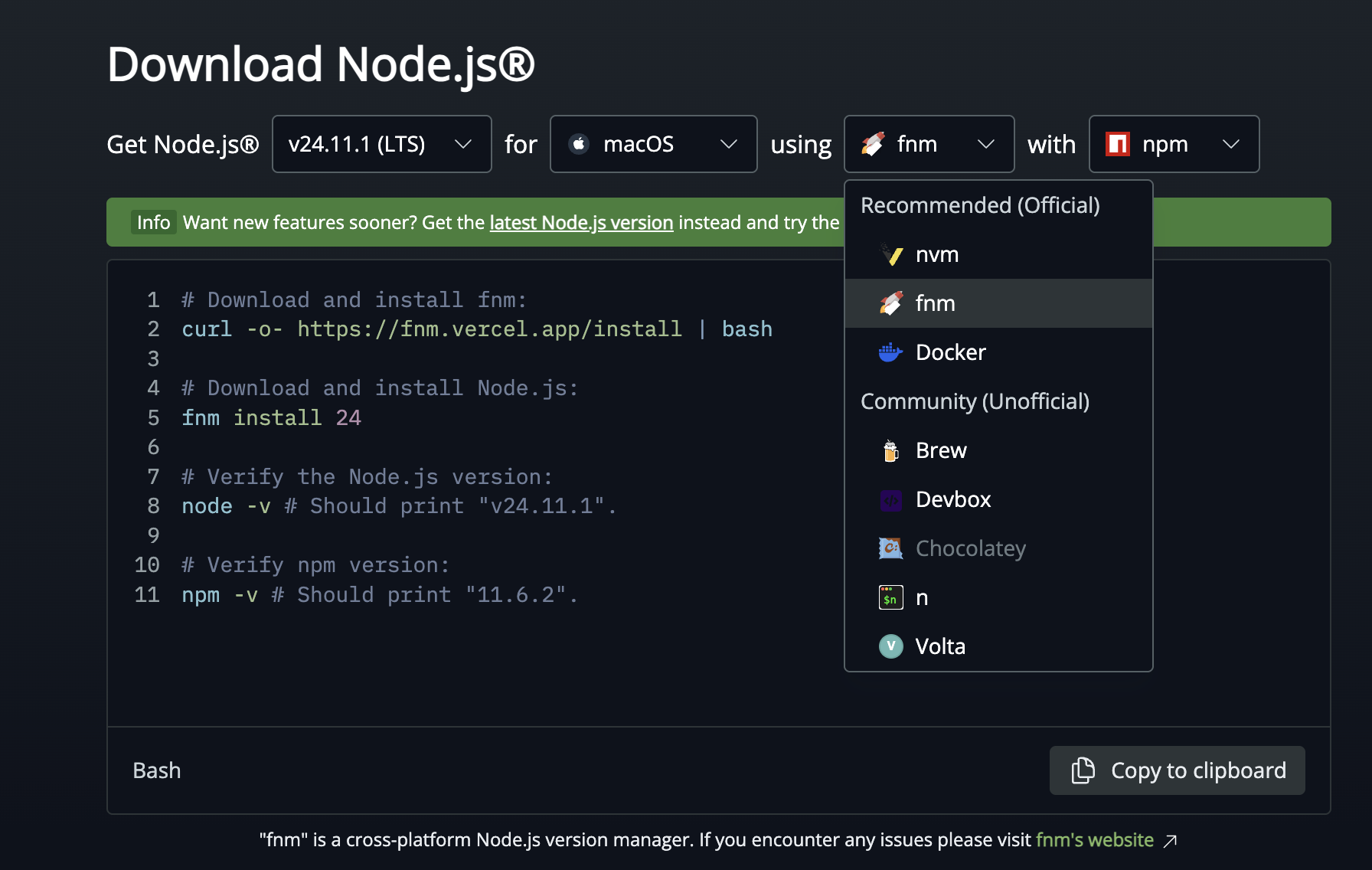
… and go ahead with curl command to install it. This was one way to go, but since I had Homebrew installed as was using it for many of my other installations, I chose to go ahead with brew -
|
|
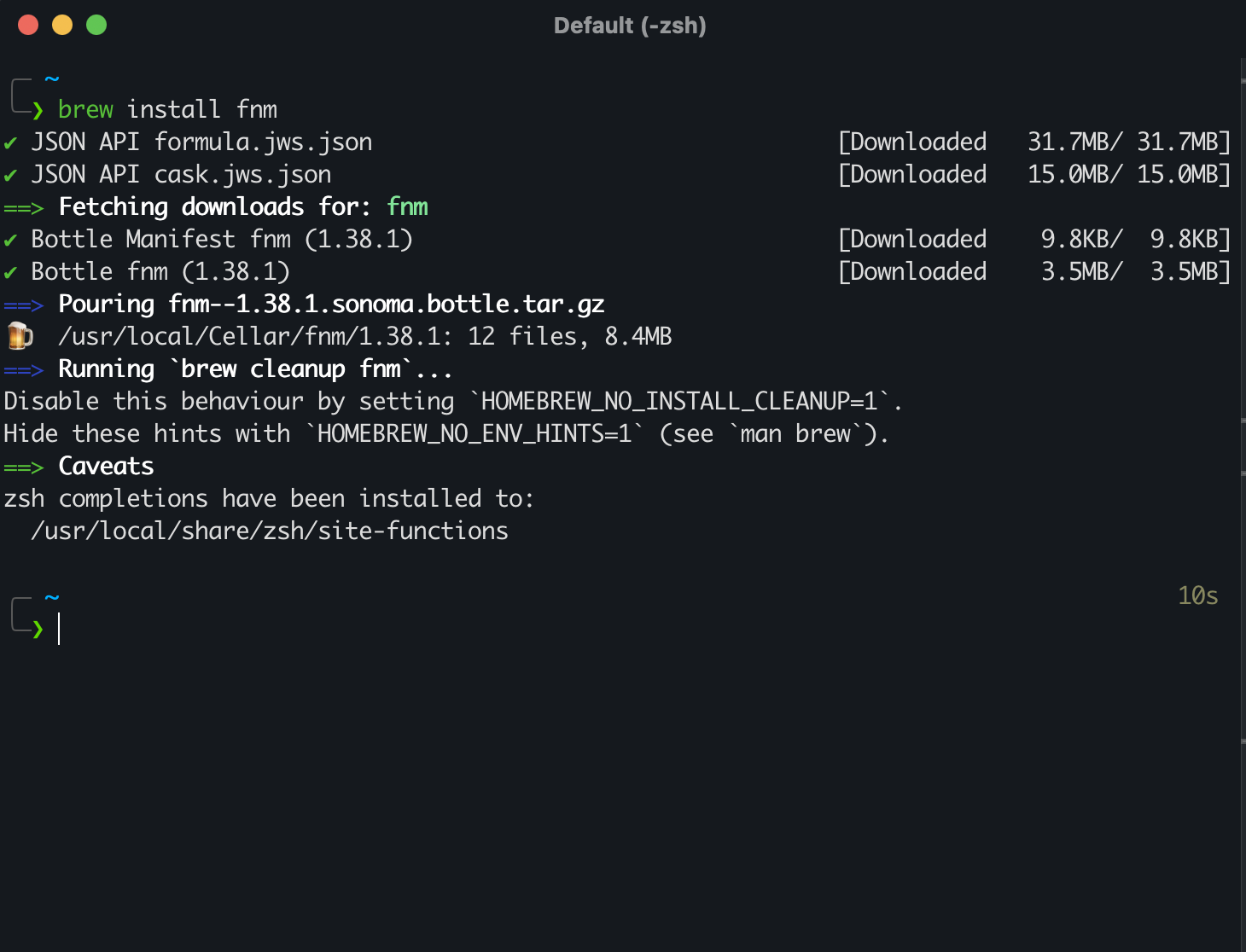
Once done, I just had to setup the environment variables before using fnm.
|
|
Also make sure to restart your zsh profile to implement the changes -
|
|
That was it!
I immediately installed Node LTS versions 22 and 24, and both were done in a jiffy.
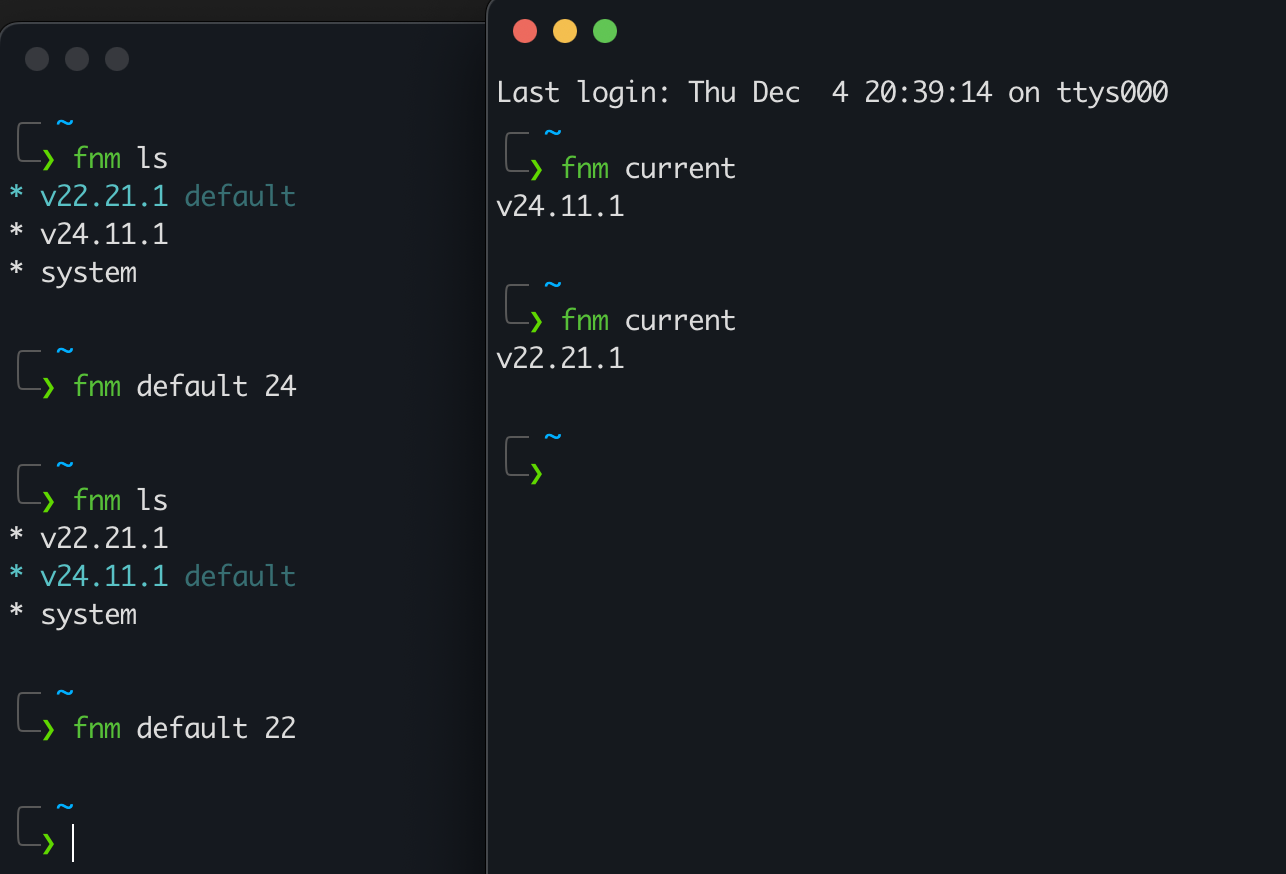
As you can see, the usage is very straight-forward.
Time to test the new benchmarks -
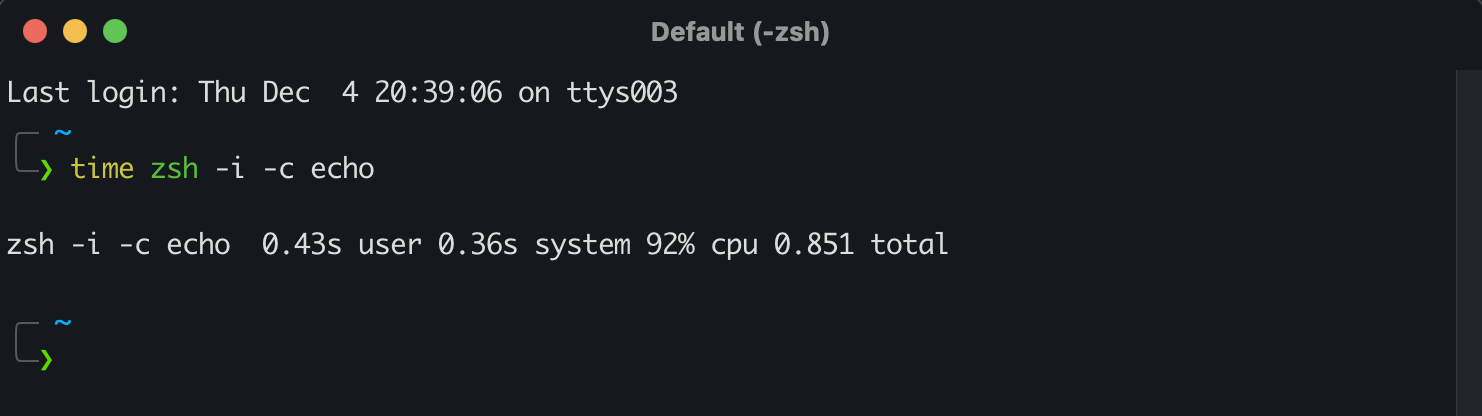
0.43 seconds! 🥹 Less than a second of load time! Sure, improvements could be explored, but for now I am finally relieved. Switching node versions is a breeze, using the tool is butter smooth, and my terminal is back with a vigour.
Why is fnm fast?
fnm is written with Rust and Rust is known to be a very fast, low-level systems language that is powering rewrites of many high frequency systems all over the world. Common productivity and developer utility tools built with Rust are blazingly fast in performance.
There is a whole world of mess concerning Python version managers, and it’s baffling that there is no built-in way from Python to efficiently manage versions, so hopefully we may see more tools like fnm gain popularity.